
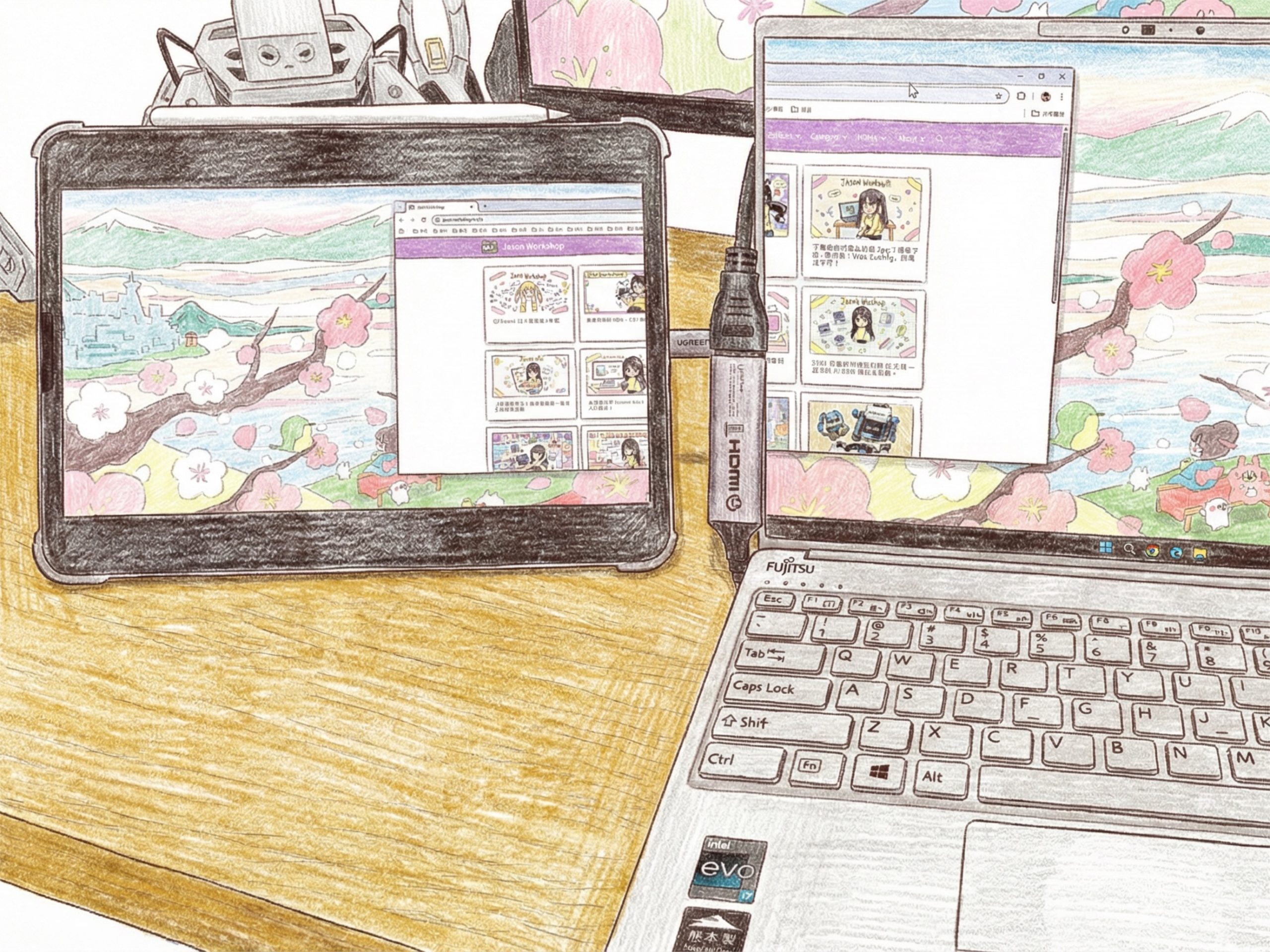
Why Ext Screen?
Transform your iPad into a professional external monitor and teaching tool! Designed specifically for iPad, this app allows you to easily connect and display high-quality video from external USB-C webcams. Whether you are conducting online classes, demonstrating products, using it as a document camera, or acting as a secondary monitor for photography, it delivers a smooth, ultra-low latency experience.
Understanding the needs of creators and educators, we have integrated powerful “Live Drawing” and “Screen Control” features. You can write and highlight directly on the live video feed, and adjust the zoom and orientation at any time. To provide the purest viewing experience, the user interface automatically hides when idle, letting you focus entirely on the content.
Key Features:
- Smart Auto-Hiding UI: The top menu smoothly fades out after 10 seconds of inactivity, providing a distraction-free, full-screen view. A simple tap anywhere on the screen instantly wakes up the controls.
- Plug & Play External Cameras: Seamlessly supports USB-C external webcams, USB-C HDMI Adaptor and built-in iPad cameras, with automatic detection and easy switching.
- Full-Screen Edge-to-Edge Display: Video automatically fills your iPad screen with the optimal aspect ratio for an immersive viewing experience.
- Intuitive Gesture Zoom: Supports pinch-to-zoom to inspect details up to 5x magnification. Simply double-tap the screen to quickly restore the original size.
- Live On-Screen Annotation: Features a powerful drawing mode with 6 vibrant pen colors. Write and highlight directly on the live feed, complete with undo and clear-all functions—perfect for teaching and presentations.
- Flexible Screen Controls:
One-Tap Mirroring: Instantly flip the video horizontally to ensure your movements align with the display. - Orientation Correction: Easily rotate the video in 90-degree increments to fix default orientation issues common with various webcam brands, keeping your view always upright.
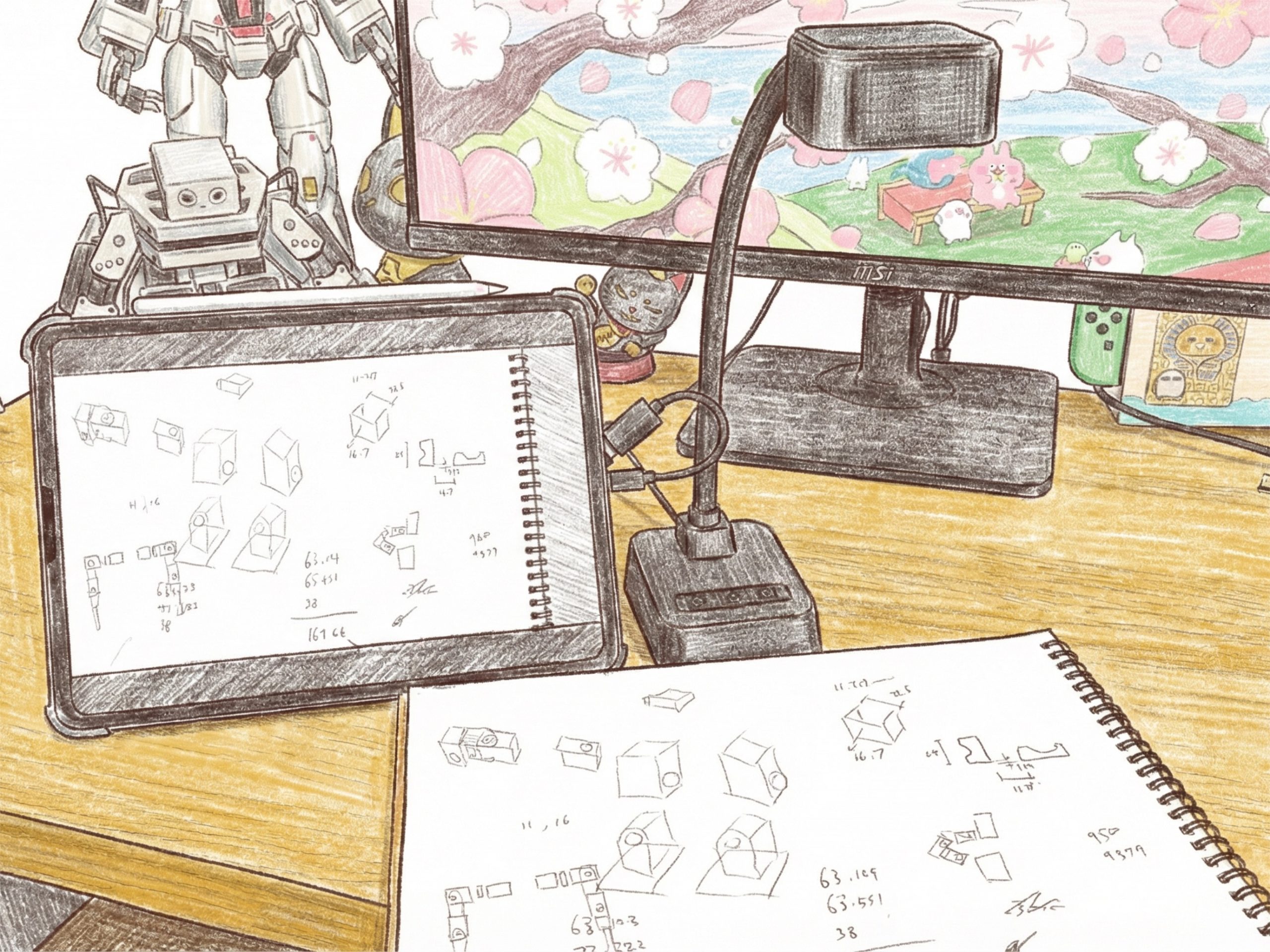
將您的 iPad 瞬間變成專業的外接螢幕與教學工具!本應用程式專為 iPad 設計,讓您能透過 USB-C 輕鬆連接並顯示外接 Webcam 的高畫質影像。無論是進行線上教學、產品展示、實物投影,或是作為攝影副螢幕,都能提供極低延遲的流暢體驗。
我們深知創作者與教育工作者的需求,因此特別加入了強大的「即時繪圖」與「畫面控制」功能。您可以在即時影像上直接書寫、標記重點,並隨時調整畫面的縮放與方向。為了提供最純粹的觀看體驗,操作介面會在閒置時自動隱藏,讓您專注於畫面本身。
主要功能:
- 隨插即用外接鏡頭: 完美支援 USB-C 外接 Webcam, USB-C HDMI Adaptor 與 iPad 內建鏡頭,自動偵測並可隨時切換。
- 全螢幕無邊框顯示: 影像自動以最佳比例填滿整個 iPad 螢幕,提供最沉浸的視覺體驗。
- 直覺的手勢縮放: 支援兩指捏合縮放(Pinch to Zoom)畫面細節,最高可達 5 倍放大;雙擊螢幕即可快速恢復原始大小。
- 即時畫面標記: 內建強大的繪圖模式,提供 6 種鮮明色彩的畫筆。您可以直接在即時影像上書寫、畫重點,並支援撤銷與一鍵清除功能,是教學與簡報的絕佳利器。
- 靈活的畫面控制:
- 一鍵鏡像: 即時左右翻轉畫面,確保您的動作與畫面方向一致。
- 方向修正: 針對不同廠牌 Webcam 預設方向不同的問題,提供 90 度旋轉修正功能,讓畫面永遠保持正確視角。
- 智慧隱藏介面: 頂部選單在閒置 10 秒後會自動淡出隱藏,提供無干擾的全螢幕視野;輕觸螢幕任意位置即可瞬間喚醒選單。
